
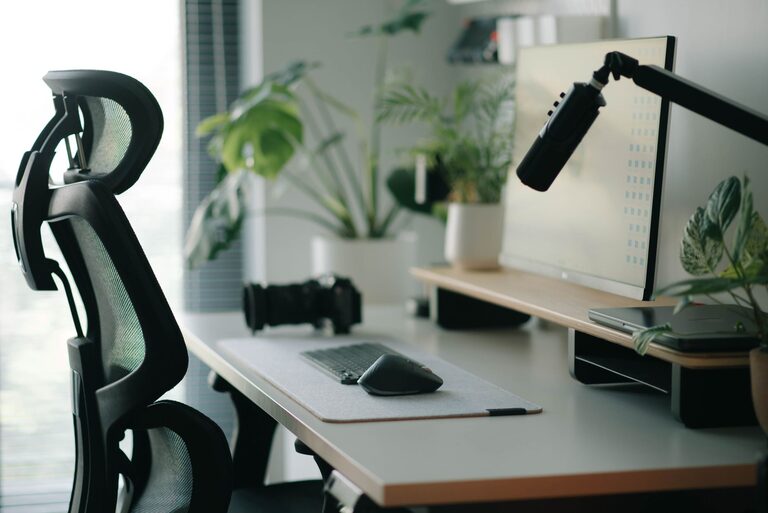
Creating an effective desk setup is essential for both focus and comfort, especially if you spend long hours working or studying. A well-organized, ergonomic workspace can improve your productivity, reduce physical strain, and help maintain mental clarity throughout the day. Whether you work from home or in an office, these desk setup tips will guide you in creating a comfortable and distraction-free environment.
Why a Good Desk Setup Matters
Your desk is where you spend a significant portion of your day. If your setup is cluttered or not ergonomic, it can lead to discomfort, poor posture, and decreased concentration. On the other hand, a thoughtfully arranged desk can:
– Minimize physical fatigue and discomfort
– Promote better posture and reduce the risk of injury
– Help you stay organized and focused
– Enhance your overall work experience and well-being
Choosing the Right Desk and Chair
Desk Height and Size
Begin with a desk that fits your space and meets your needs. The standard desk height is around 28-30 inches, but the best height depends on your own height and chair.
– Your desk should offer enough surface area for your computer, keyboard, mouse, and any other tools or documents.
– Consider adjustable desks that allow you to switch between sitting and standing during the day.
Comfortable and Supportive Chair
A good chair supports your lower back and encourages good posture.
– Look for a chair with adjustable height and lumbar support.
– Your feet should rest flat on the floor or on a footrest.
– Your knees should be at about a 90-degree angle.
Positioning Your Monitor and Keyboard
Monitor Placement
Eye strain and neck pain often result from poor monitor placement. Position your monitor so that:
– The top of the screen is at or slightly below eye level.
– The monitor is about an arm’s length away.
– The screen is directly in front of you, to avoid twisting your neck.
Keyboard and Mouse
Your keyboard and mouse should be within easy reach to avoid overstretching.
– Keep your wrists straight and your arms close to your body.
– Your elbows should be bent at roughly a 90-degree angle.
– Consider a wrist rest if it helps reduce strain.
Organizing for Focus
Declutter Your Desk
A cluttered desk can distract you and make it harder to find what you need.
– Keep only frequently used items on your desk.
– Store other items in drawers or organizers.
– Regularly clear out unnecessary papers and supplies.
Use Organizational Tools
– Desk trays, file holders, and pen cups help keep items orderly.
– Cable organizers can prevent tangled cords.
– Digital tools like task lists or calendar apps can help you keep track of priorities.
Lighting and Ambience
Proper lighting reduces eye strain and helps you stay alert.
– Use a combination of natural light and task lighting.
– Position your desk near a window if possible, but avoid glare on your screen.
– A desk lamp with adjustable brightness is ideal for focused tasks.
Personal Comfort and Wellness Tips
Add Ergonomic Accessories
Consider tools that enhance comfort:
– A footrest to support your feet.
– A monitor stand to achieve the correct screen height.
– An ergonomic keyboard or mouse for better hand positioning.
Take Breaks and Move
Even with the best setup, it’s important to avoid sitting for too long.
– Follow the 20-20-20 rule: every 20 minutes, look at something 20 feet away for 20 seconds.
– Stand up and stretch or walk around regularly.
– Incorporate short breaks to rest your eyes and muscles.
Personalize Thoughtfully
Adding a few personal touches can make your workspace inviting but avoid overdoing it.
– A plant can bring freshness and improve air quality.
– Photos or artwork that inspire you.
– Comfortable accessories like a cushion or a blanket for chilly days.
Final Thoughts
Creating a desk setup that promotes focus and comfort doesn’t have to be complicated. By choosing the right furniture, organizing your space thoughtfully, and paying attention to ergonomics and lighting, you create an environment that supports your productivity and well-being. Remember to listen to your body and adjust your setup as needed to stay comfortable and focused throughout your workday.